
Can you back up a database by simply making a copy of its data
and log files? Yes, but only when the data files are no
longer used by SQL Server.
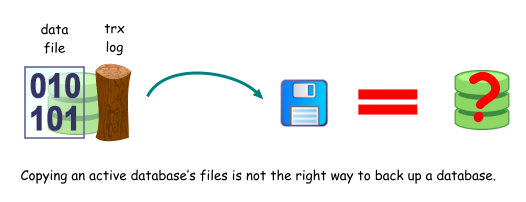
When a database is active, you cannot simply make a copy of its
files and assume that it's good enough to be used as a full
database backup. This is because its data and log files may
not be in a consistent state. There may be modified data
pages that have not been written to the data files, only recorded
in the transaction log. There may also be transactions that
are in progress, that have neither been committed nor rolled-back,
but have been written to the data file.
A simple example is as follows:
|
10:00
|
Copying of data files start, takes 10 minutes.
|
|
10:05
|
A checkpoint occurs, modifies some pages at the beginning of the
data file (which have already been copied), and some pages at the
end of the data file (yet to be copied).
|
|
10:10
|
Copying of data files end, copy of transaction log starts.
|
|
10:15
|
Copying of transaction log ends.
|
What you end up with is a
transaction log that thinks that the data files already contain all
changes made during the last checkpoint, and a data file that
contains only part of the changes.
There are utilities that are able to make copies of open files
i.e. files that are in use by other applications, but for the
reasons stated above, this is not the right way to back up your SQL
Server databases. If you must make a copy of the database
files instead of backing up the database the usual way, the
recommended approach is to first detach the database using the
sp_detach_db stored
procedure e.g.
| sp_detach_db 'AdventureWorks' |
SQL Server will write all dirty pages to disk, before it takes
the database offline and detaches it from the SQL Server instance.
You can then make a copy of the database files, which will be
in a consistent state. You can then reattach the database
later using the sp_attach_db stored
procedure e.g.
| sp_attach_db 'AdventureWorks',
'e:\mssql_data\AdventureWorks\AdventureWorks.mdf',
'e:\mssql_data\AdventureWorks_log.ldf' |
or the sp_attach_single_file_db
stored procedure if your database consists of only one data file
and you no longer have the transaction log file e.g.
| sp_attach_single_file_db 'AdventureWorks',
'e:\mssql_data\AdventureWorks\AdventureWorks.mdf' |
You can also safely make copies of a database's files when the
entire SQL Server instance is offline.
The main disadvantage of making a backup of the database this
way is that you have to take the database offline for the duration
that it takes to make a copy of the database's files. Also,
you cannot use the attached database as the starting point to
restore differential or transaction log backups.
Document history
| 8/15/2008 | Added example. |
| 8/1/2008 | Initial release. |