
SQL Server 2005 and newer offers the option to encrypt your
tables/databases. If you were to back up a SQL Server 2008
database that contains encrypted data, your backup data is pretty
much encrypted. However, if you tried to back up the data
using the COMPRESSION option in SQL Server 2008, the backup data
won't be compressed much. This is because encrypted data
simply does not compress well.
What if you wanted to protect the backup data for a database
that's unencrypted? Well, you have the PASSWORD option, but
all that does is prevent you from restoring the database if you do
not have the right password. It does nothing to encrypt the
backup data itself.
E.g. here's a normal backup:
BACKUP DATABASE pubs TO DISK = 'e:\temp\pubs.bak'
and here's a hex dump of the
backup file at offset 120D00H:
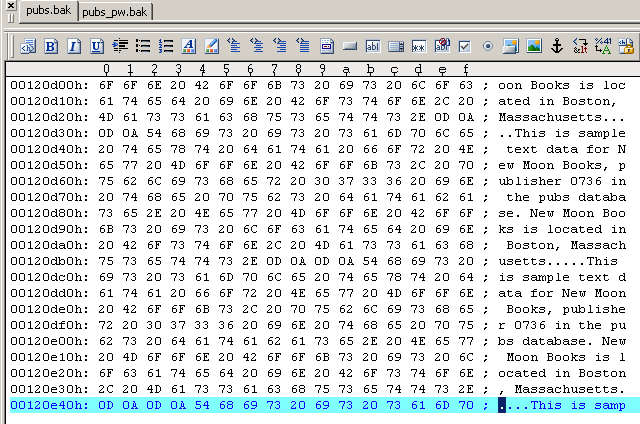
Here's a password protected
backup:
BACKUP DATABASE pubs TO DISK = 'e:\temp\pubs.bak' WITH PASSWORD = 'password'
and here's the hext dump of
the backup file at the same offset:
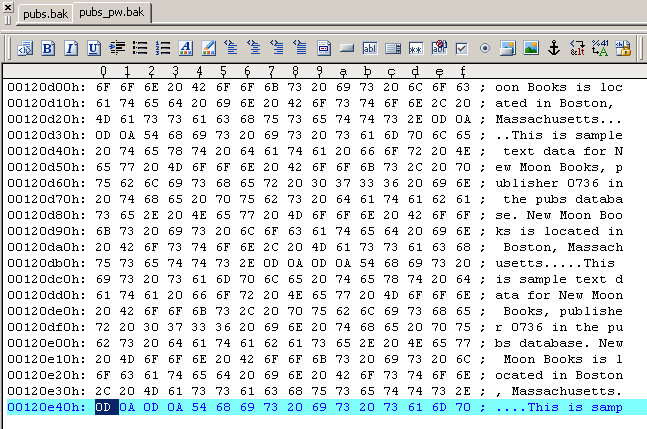
All the PASSWORD option does is require you to enter the
password when performing RESTORE operations. No encryption of
the backup data is performed.
With SQL Backup, you can encrypt the backup data. Since
encryption is performed after the compression process, you get the
benefits of both compression and encryption. The syntax
couldn't be simpler either e.g.
EXEC master..sqlbackup '-sql "BACKUP DATABASE pubs TO DISK =
[e:\temp\pubs.sqb] WITH PASSWORD = [password]" '
Encryption is performed using the AES (Rjindael) encryption
algorithm, and you can choose between 128-bit and 256-bit key
sizes.
Document history
| 11/4/2010 | Initial release. |