 |
 |
 |
|
|
 |
|
|
|
|
|
|
 |
| VDI versions |
|
| |
|
||||||||||||||||
|
|
 |

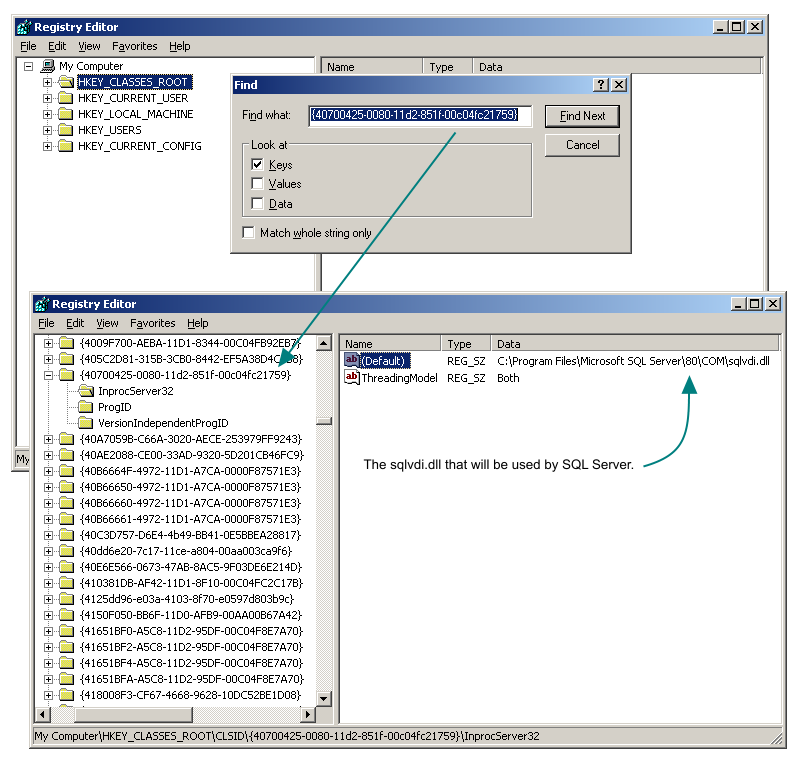
The SQL Server Virtual Device Interface (VDI) is implemented as a set of COM interfaces. This means that there can only be one VDI library in use, even though you may have different versions of SQL Server installed. The COM interfaces are located in a file named sqlvdi.dll. To find out which version of the VDI is active, do a search in the registry under the HKEY_CLASSES_ROOT node, for the key {40700425-0080-11d2-851f-00c04fc21759}. Under that node, you should see a InprocServer32 value. The default data for that value points to the version of sqlvdi.dll that's registered on that server.
Some common versions of sqlvdi.dll are as follows:
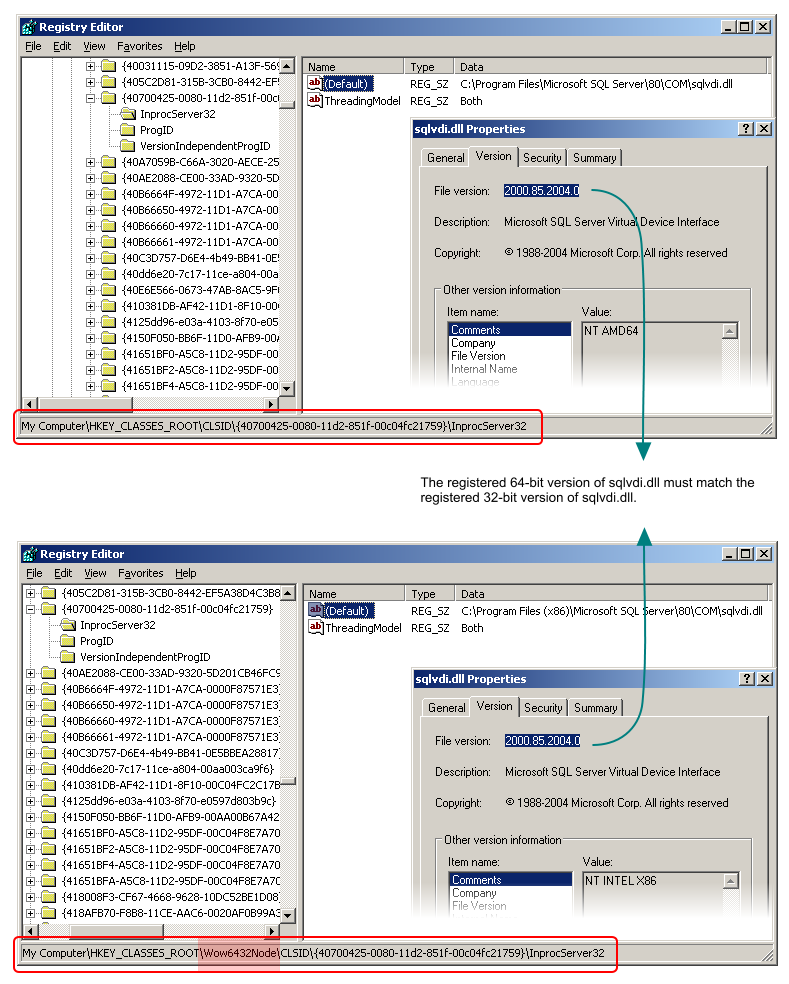
Generally, later versions of SQL Server is backwards compatible with earlier versions of SQL Server. This means that if you have both SQL Server 2000 and SQL Server 2005 instances running on your server, you must ensure that the version of sqlvdi.dll that's registered is version 2000.085... or later, otherwise backup applications that use the VDI will fail when trying to back up or restore on the SQL Server 2005 instance (see here for some errors that may be caused by this mismatch). In addition, if you are running 64-bit versions of SQL Server, SQL Server will register both 32-bit and 64-bit versions of sqlvdi.dll. If your backup application is a 32-bit application, you'll need to ensure that both the 32-bit and 64-bit registered VDI files are of the same version. To locate the registered 32-bit version of sqlvdi.dll in the registry, look under the HKEY_CLASSES_ROOT\Wow6432 node.
Surprisingly, this is a common issue, usually happening when you apply hotfix 935465 on a 64-bit server that has both SQL Server 2000 and SQL Server 2005 instances installed. Hotfix 935465 does not have a 64-bit version of sqlvdi.dll, hence causing a mismatch of versions. To fix this, the suggestion is to apply hotfix 934396.
Document history
|
|||||||||||||||||||||||||||||||||||||||||||